For listing agents and occupied home sales
List before the seller moves out.
Turn lived-in rooms into clean blank-slate listing images while the seller is still packing, planning, and living in the home.
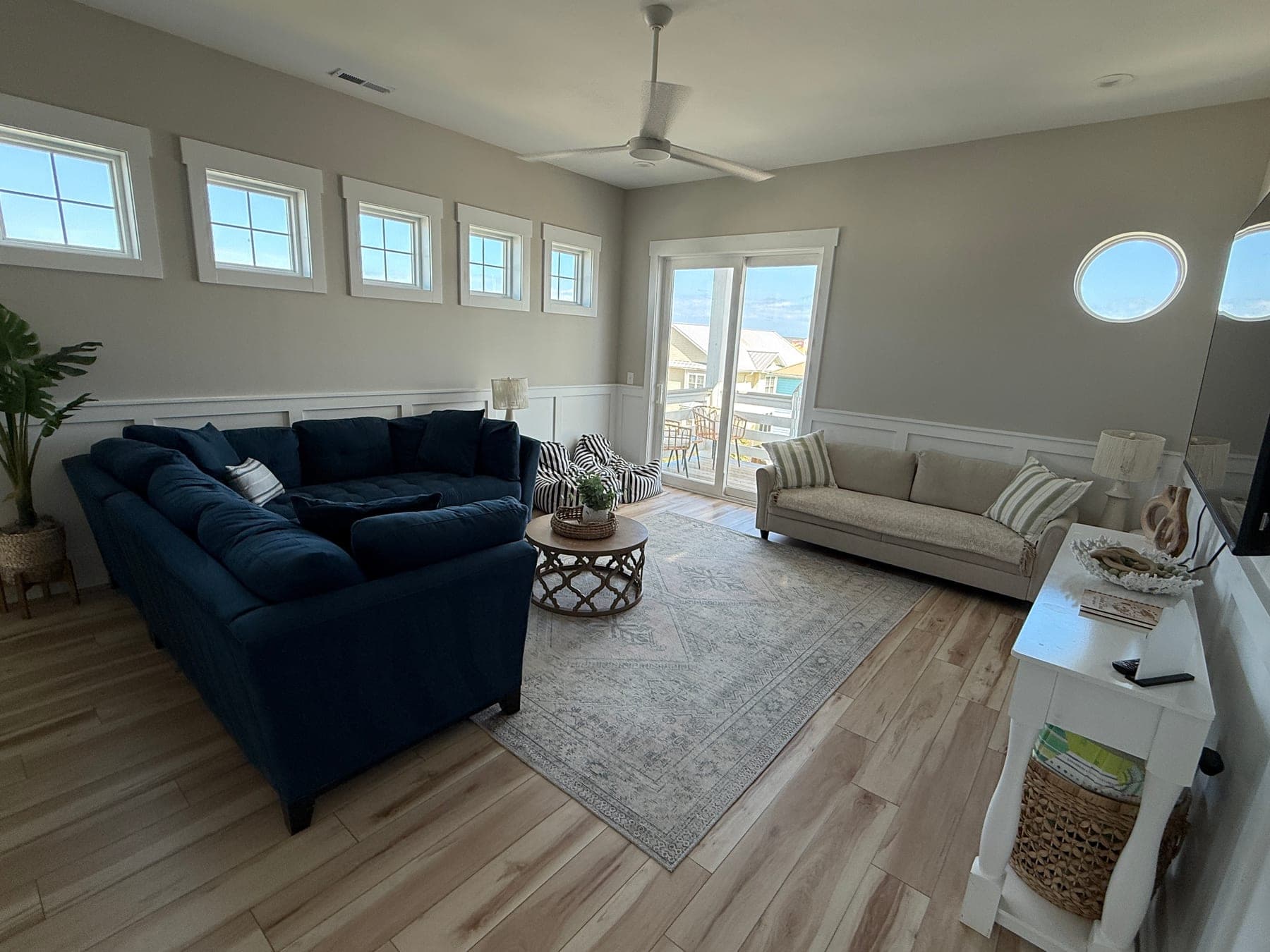
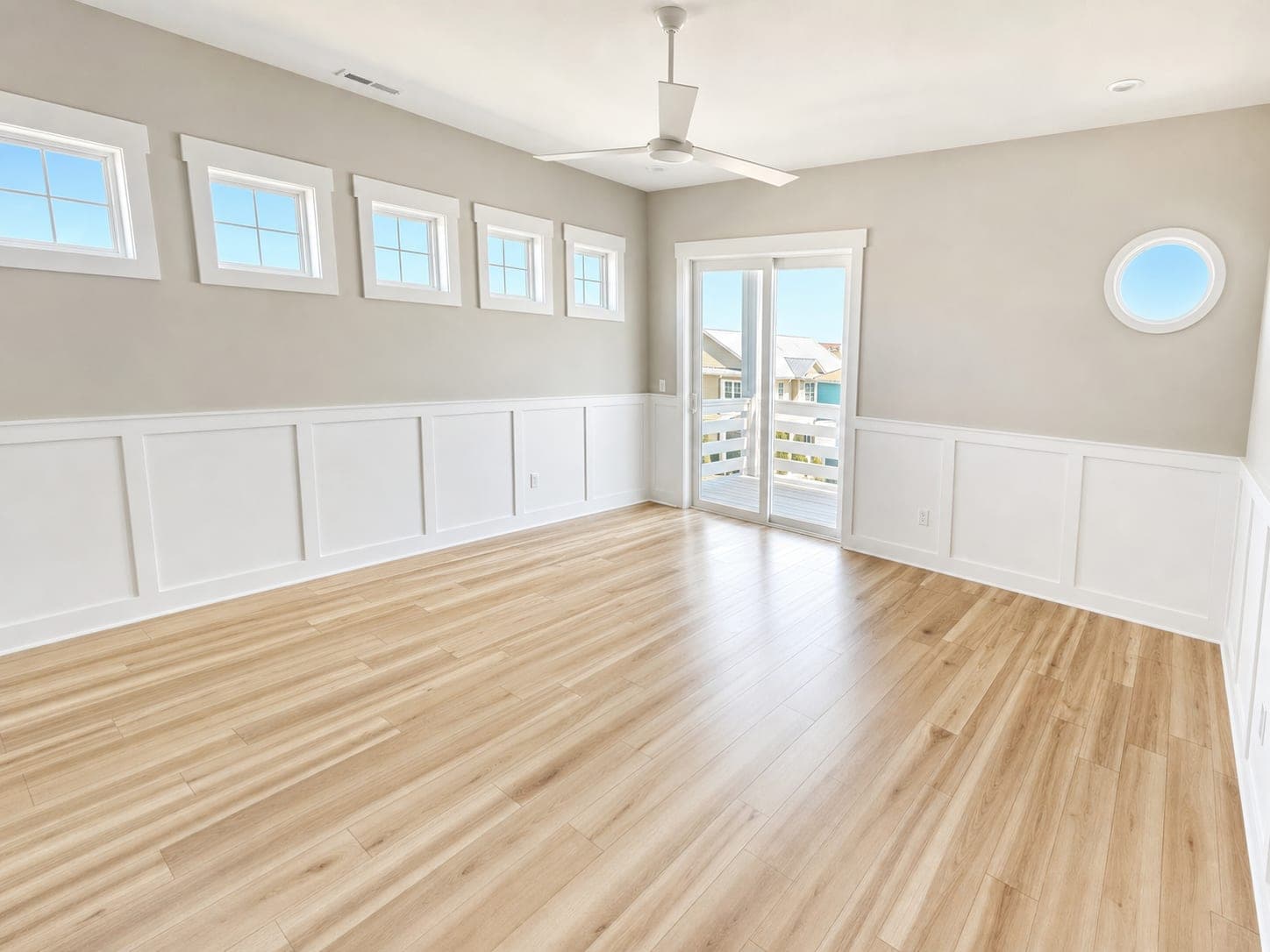
Living Room Move-Out Preview
Turns an occupied living room into an empty-room preview that keeps the real windows, walls, and flooring.
Best moment
Pre-market
Core edit
Room Reset
Optional next step
Virtual staging
The occupied-property gap
A good room can disappear behind someone else's furniture.
Waiting for move-out costs pre-market time. Publishing the lived-in photo makes buyers judge the belongings. Room Reset gives agents a neutral view of the underlying space sooner.
Pre-market prep
Build the listing package before the seller has fully packed or vacated.
Difficult room
Show floor area, windows, and layout when bulky furniture dominates the photo.
Photo rescue
Use current access when a reshoot or fully prepared room is not practical.
Room Reset proof
Current photos, without the current belongings.
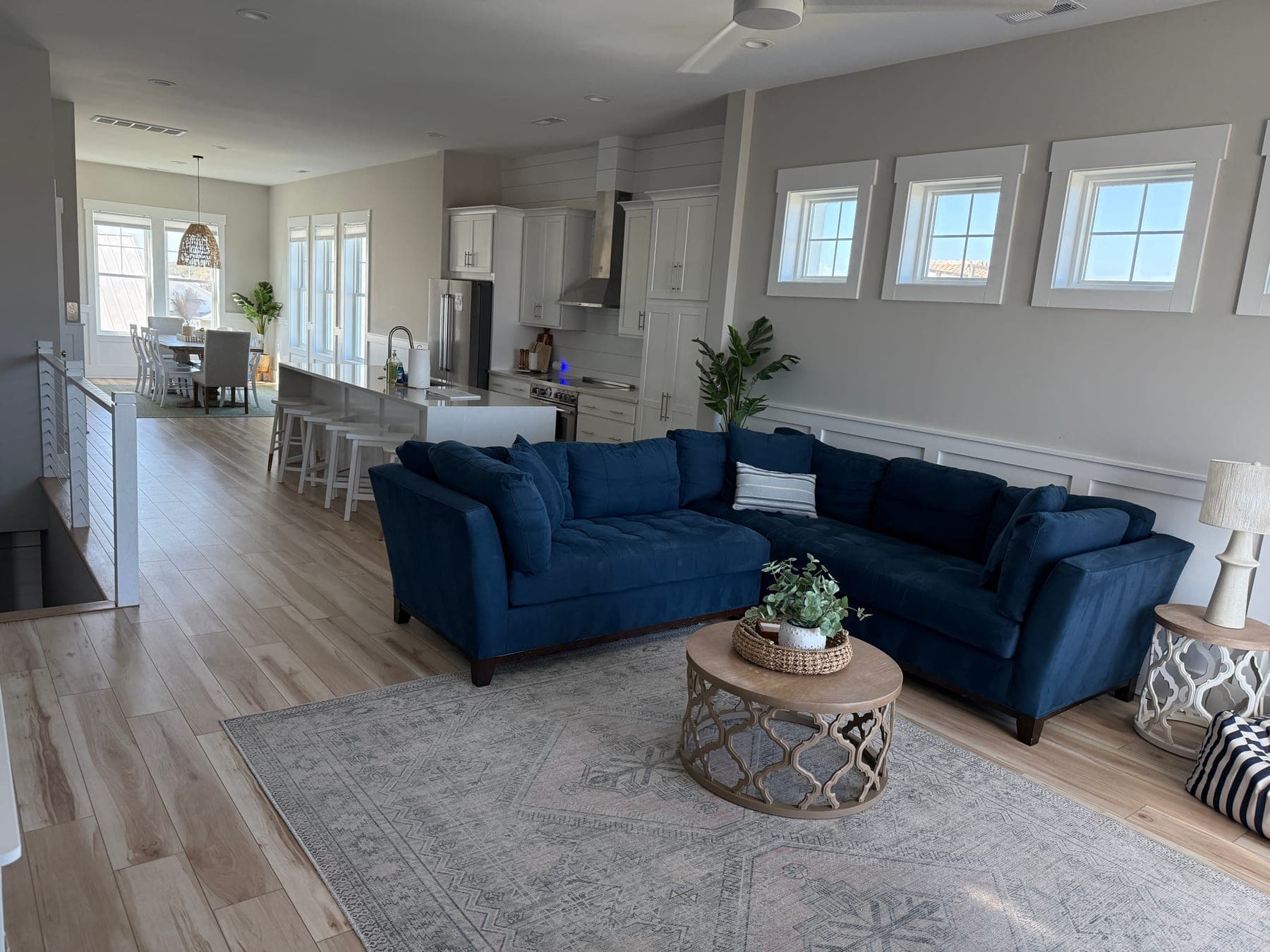
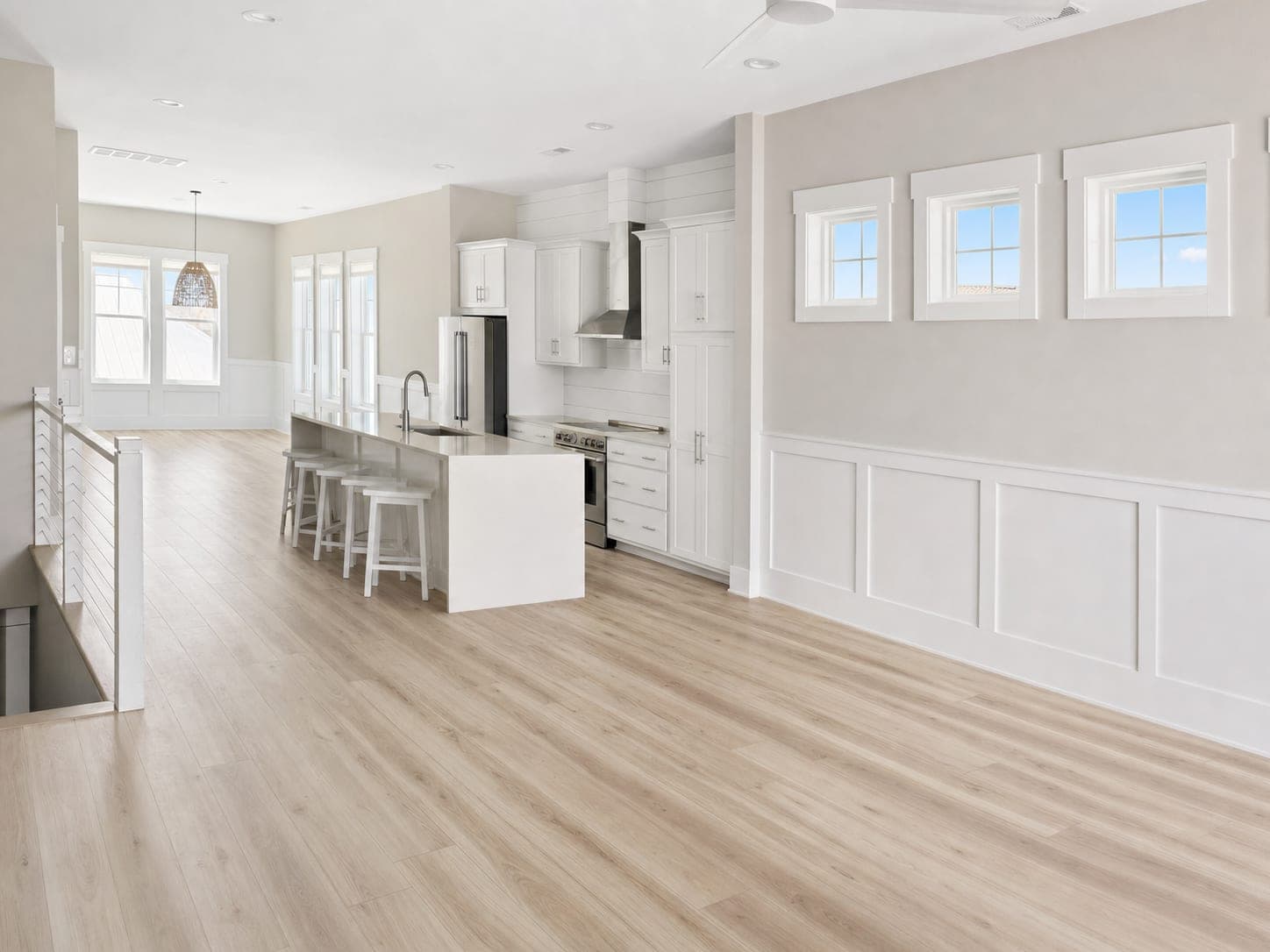
Open Living Room Reset
A furnished open living area becomes a clean blank slate before the tenant or seller has moved out.
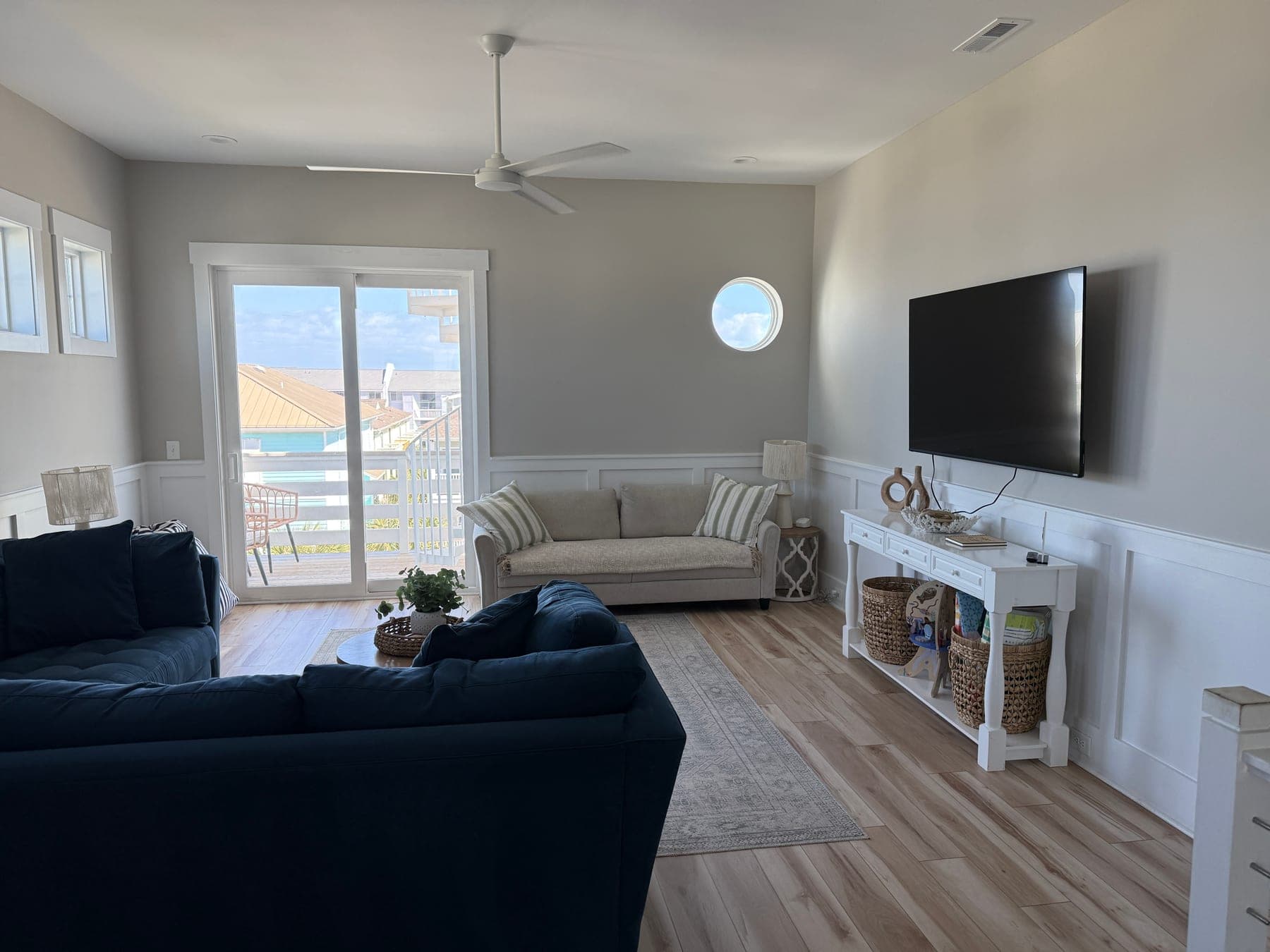
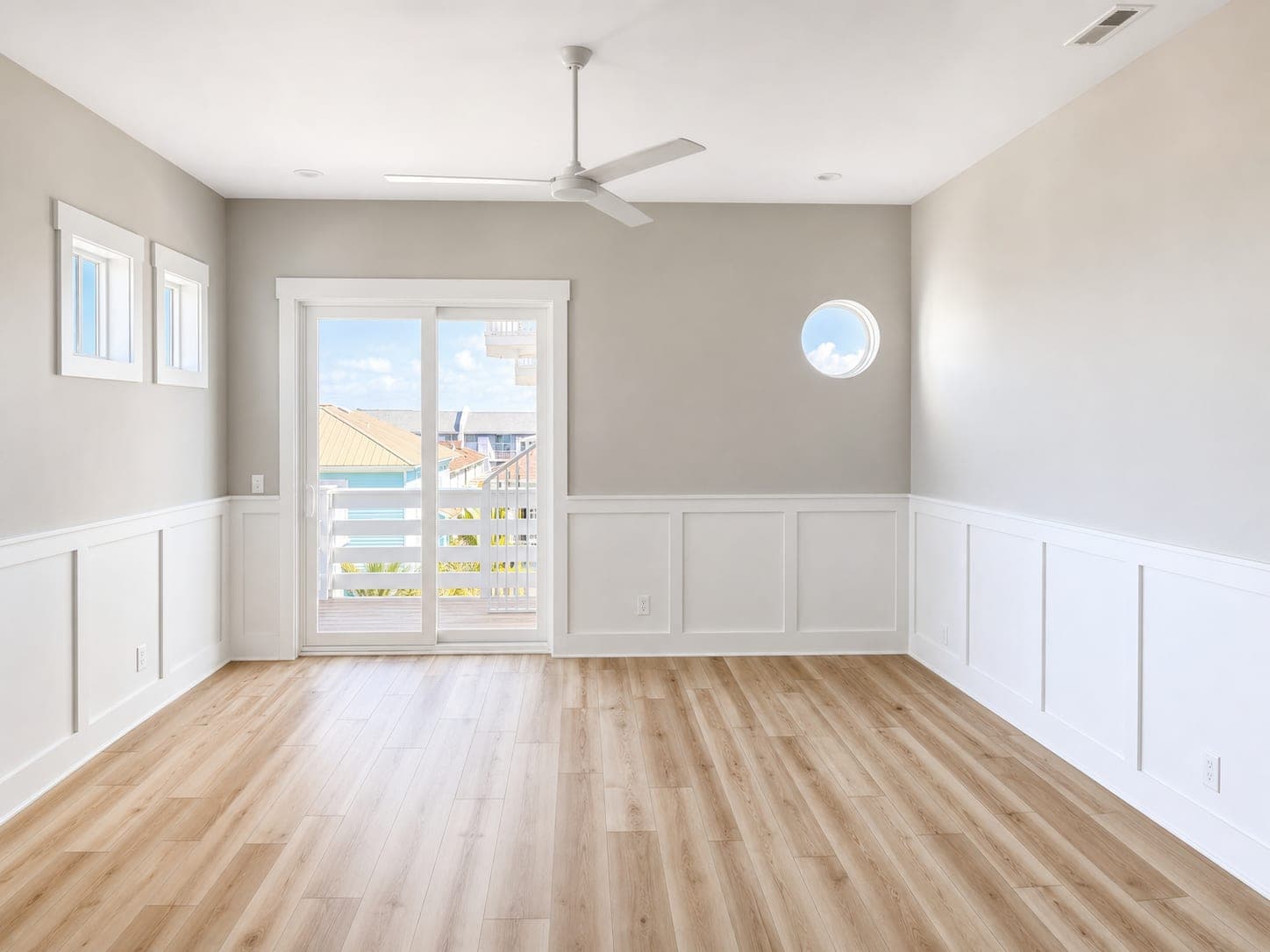
Media Room Reset
Removes bulky furniture and wall distractions so buyers can read the actual room shape.
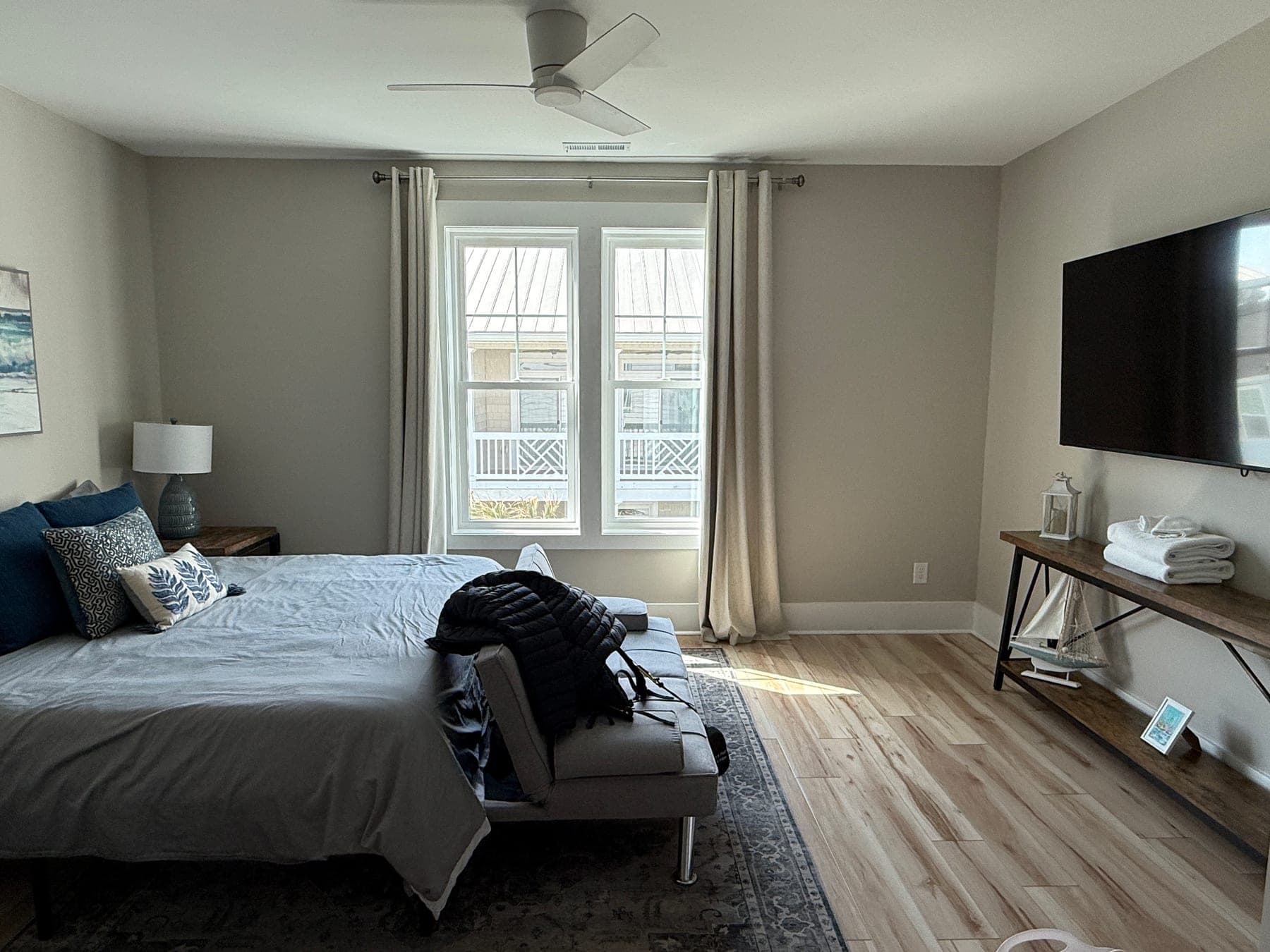
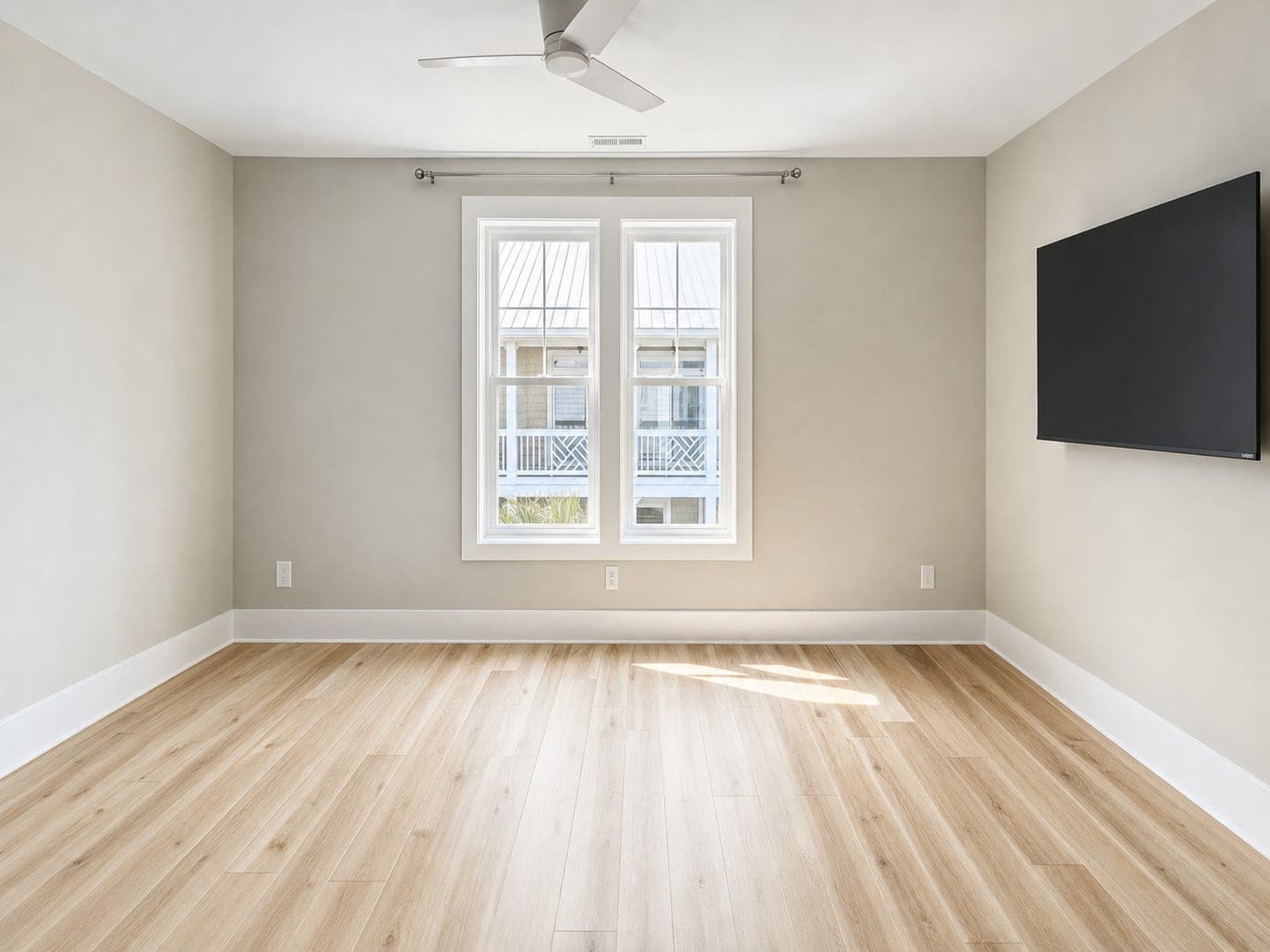
Primary Bedroom Reset
Clears the bed, bench, rug, and decor so the buyer sees the actual floor area and windows.
A listing-ready workflow
Reset the room first. Add polish or staging only when useful.
Photograph the occupied room
Capture a current phone photo during seller prep or a pre-listing walkthrough.
Create a neutral room view
Remove movable belongings while keeping architecture, finishes, views, and perspective.
Review and disclose
Compare with the original and follow local, brokerage, platform, and MLS requirements.
Digitally altered, clearly handled
Keep the original beside the reset, review every permanent feature, and follow the disclosure rules where the image will be published.
Trust principlesTurtl Platform
Bring listing readiness into agent and brokerage workflows.
The Partner API supports one-photo Room Reset, batch jobs, signed webhooks, originals and results, usage reporting, and disclosure fields for listing platforms and brokerage tools.